PersivApp · SmartTables
Your spreadsheet,
governed.
Meet the SmartTable.
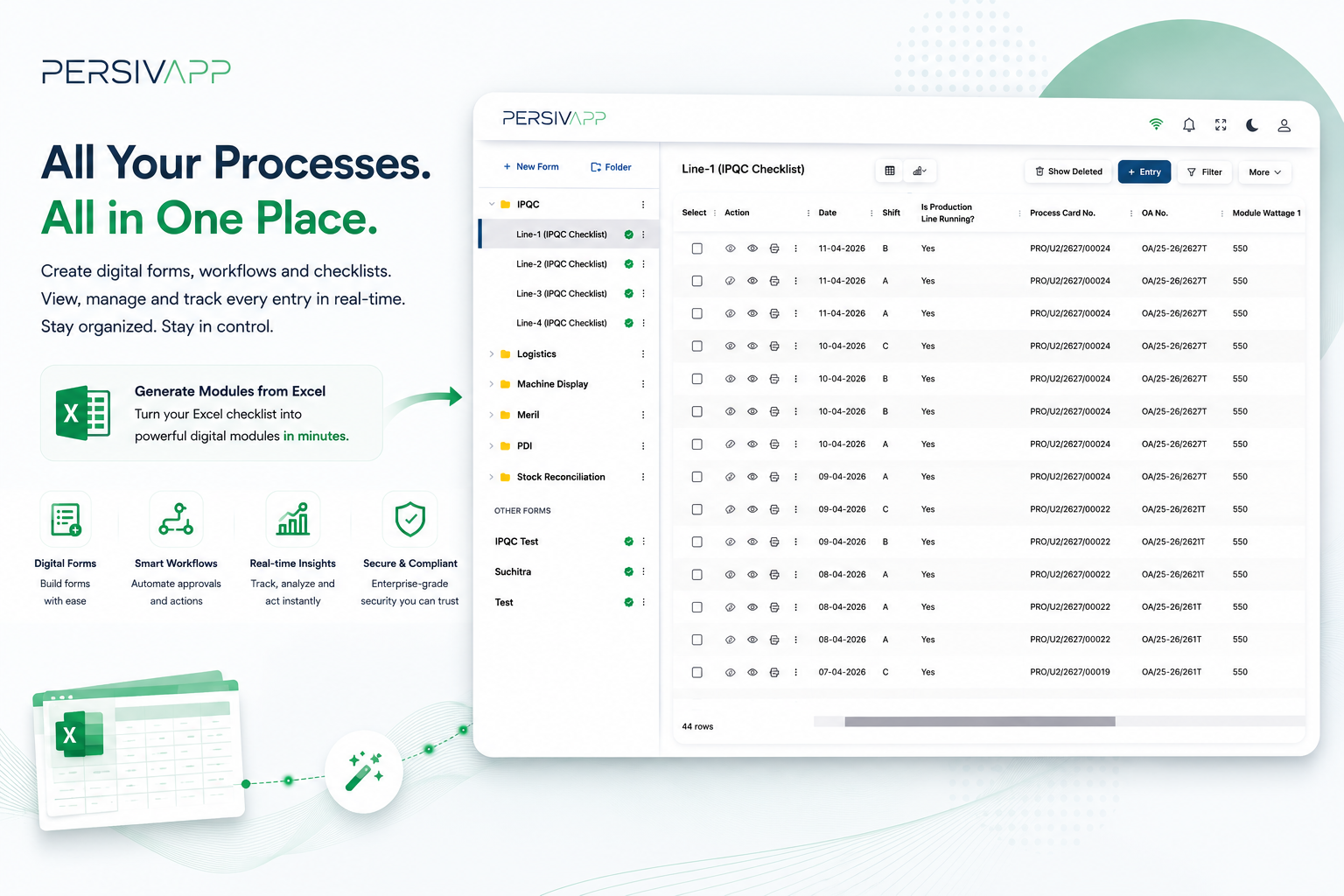
A SmartTable is the Excel sheet your team already runs on - rebuilt as a live, multi-user app. Every field validated. Every entry approved by the right person. Every change on record. Your first SmartTable is live in minutes, with no code.
| A | B | C | |
|---|---|---|---|
| 1 | Field | ui_smarttable_element | properties |
| 2 | Batch No | text | auto_number_pattern |
| 3 | Supplier | dropdown | autofill |
| 4 | Moisture % | number | min 8 · max 12 |
| 5 | Result | button_group | Pass / Hold |
| 6 | Photo | attachment |
| Batch No | Moisture % | Result | Status | Approval |
|---|---|---|---|---|
| QC-2611-041 | 9.8 | Pass | SA✓ | 3/3 |
| QC-2611-042 | 11.2 | Pass | S | 2/3 |
| QC-2611-043 | 12.6 | Hold | R | 1/3 |
| QC-2611-044 | - | - | E | 0/3 |
Why SmartTables
Excel runs your operations.
Nothing in Excel governs them.
Spreadsheets have no memory. A SmartTable keeps the format your team already knows, adds everything Excel is missing - and you build it from the workbook you’d have made anyway.
Define it in Excel
The entry sheet lists your fields - text, numbers with min/max, dropdowns, dates, attachments, formulas. The display sheet is your printout layout.
Deploy in minutes
PersivApp generates the SmartTable - entry screens, approval chain, access rules, print-exact PDF and audit trail. No code, no consultants.
Run it everywhere
Teams capture on the floor, online or offline. Change the workbook and the SmartTable versions itself - old entries are never rewritten.
Inside every SmartTable
Everything built in. Nothing to bolt on.
One platform, not ten tools stitched together. Every SmartTable ships with all of this by default.
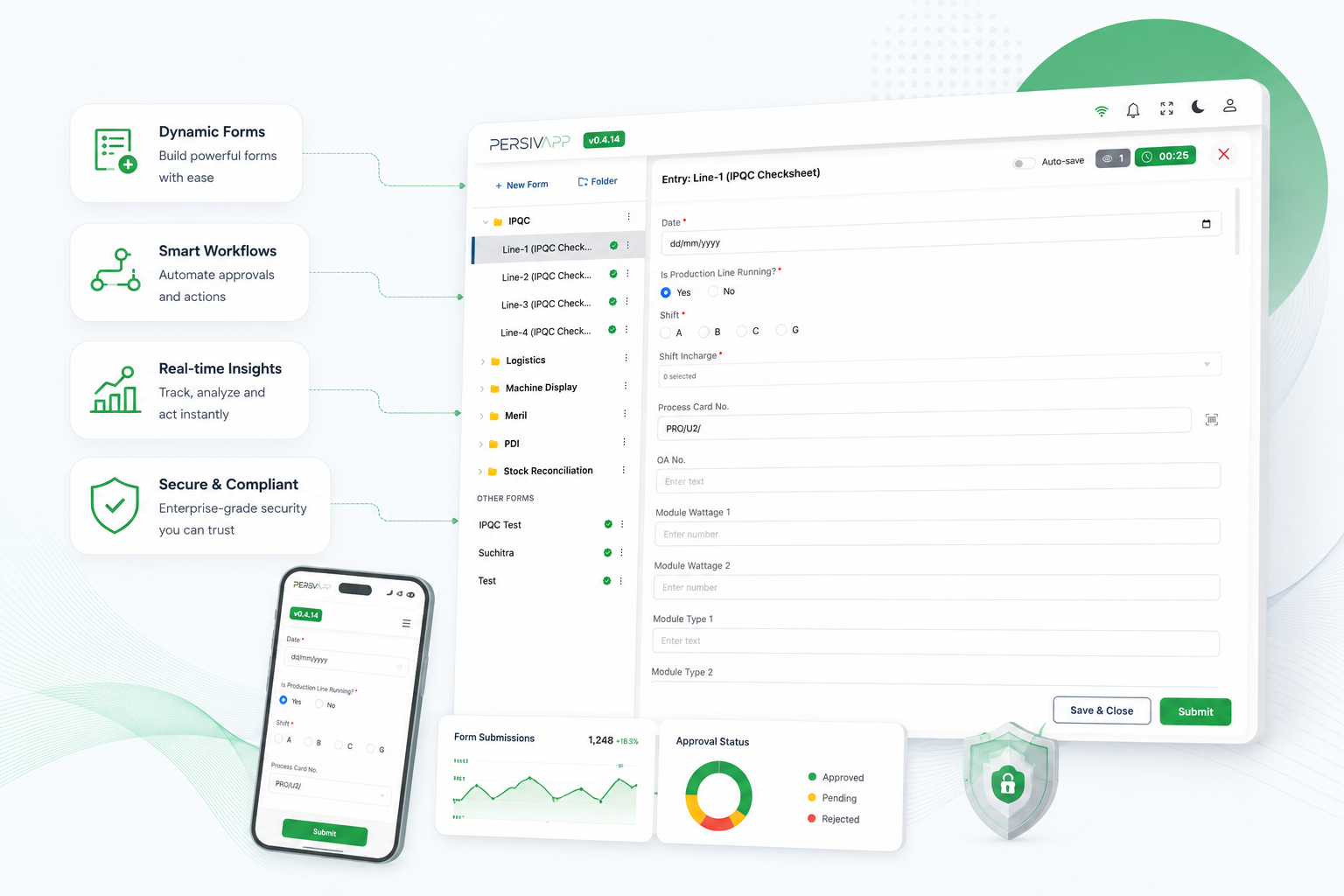
Fields that check themselves
Bad data stops at the field, not at the audit.
- 12 field types, from dropdowns to attachments
- Min/max, required and format rules
- Formulas across fields and table rows
- Auto-numbering and barcode & QR scanning
Steps & approvals
Each person fills their part. Sign-off becomes a timeline, not a thread.
- Split one entry into steps for different people
- Multi-step chains - any one or all must approve
- Approve from a push notification, with signature
- PDF emailed automatically on final approval
Access down to the field
The right people see the right things.
- Organization, SmartTable and field-level control
- Rules by user, attribute or creator
- Per-entry view / edit / admin overrides
- Submit-only users for one-way capture
Linked SmartTables
Pick a supplier - the code and address fill themselves.
- Live lookups from master SmartTables
- Filters to narrow eligible rows
- Cascading autofill inside table grids
- Maintain a master once, use it everywhere
Nothing silently overwritten
Total recall, for every entry and every change.
- Full entry and notification history
- Versioned schemas - old entries never rewritten
- Schema edits held for admin approval
- Signature attestation, draw or upload
Built for the floor, built to scale
Years of entries open as fast as a hundred.
- Installable app with full offline use and sync
- Search, filters and pagination run on the server
- Print-exact PDFs, bulk ZIP and Excel export
- Multi-language with an in-app switcher
Results
What changes when the spreadsheet becomes a SmartTable.
“We replaced four separate tools in a single week. Approval cycles dropped from three days to same-day (and realtime in some cases).”
Running on SmartTables today
For IT & security
Built to survive an audit. And an attack.
Cloud or on-premise
In the cloud, every organization’s data is isolated at the database level. On-premise, it stays on your servers.
MFA & encrypted backups
TOTP multi-factor, token rotation, and AES-256 backups with RSA key wrapping.
Audit trail & threat alerts
Every action logged. Admins alerted on lockouts and suspicious logins. SOC 2 ready.
FAQ
Questions we hear before every rollout
Do we need SharePoint or Microsoft 365?
SmartTables are defined from an Excel workbook on SharePoint, and can also sync from Google Sheets. Your team captures data in the PersivApp web or installed app - they never need to open the workbook.
Can we bring in our existing data?
Yes. Upload existing Excel data into a SmartTable, or push historical records in bulk through the API.
Cloud or on-premise - where does our data live?
Both are available. In the cloud, every organization’s data is isolated at the database level. On-premise, it never leaves your own infrastructure.
How long does a rollout take?
Your first SmartTable is live in minutes. A full rollout across a function takes weeks, not a multi-year implementation - one client went from scattered Excel sheets to full operational control in 45 days.
How is this different from a form builder, or an MES/QMS?
Form builders give you a database. A SmartTable gives you governance - versioning, approvals, attestation, field-level access and audit logs built in, not bolted on. Heavy MES and QMS platforms govern too, but start from a blank slate. SmartTables start from the Excel you already have.
How is it priced?
Pricing depends on your users and deployment. We’ll share a quote after the demo, once we’ve seen the processes you want to move.
Bring one spreadsheet.
Leave with a SmartTable.
Book a demo and bring the Excel sheet your team runs on. We’ll show it to you as a live SmartTable - approvals, access control and audit trail included.